New
cut

Holographic Kiss Cut Custom Stickers

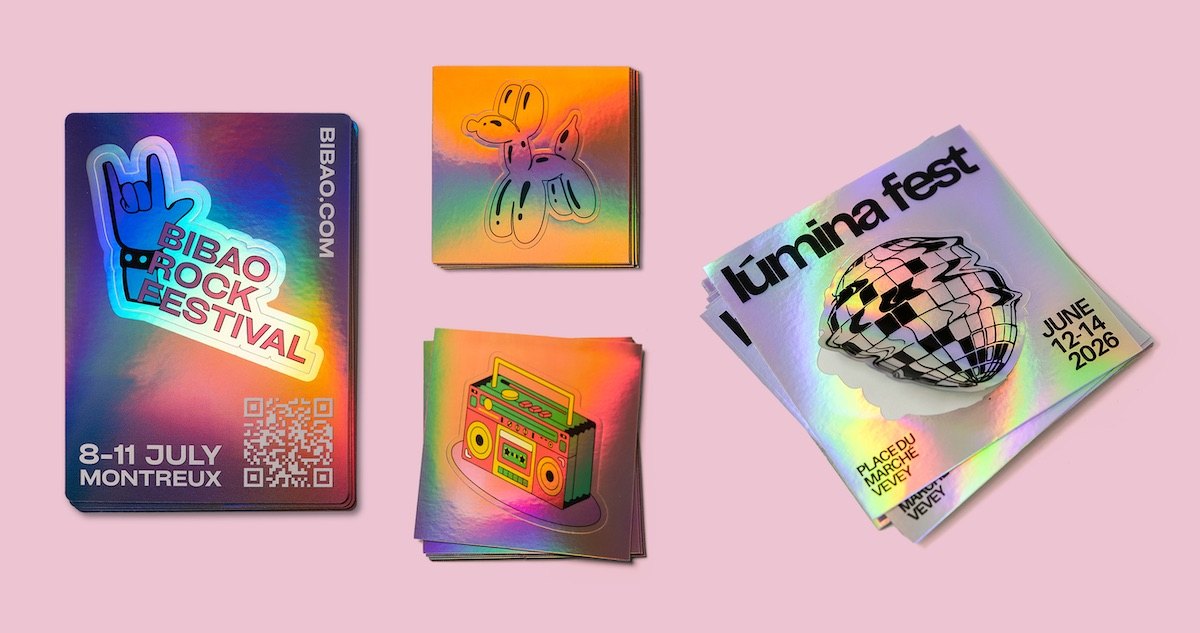
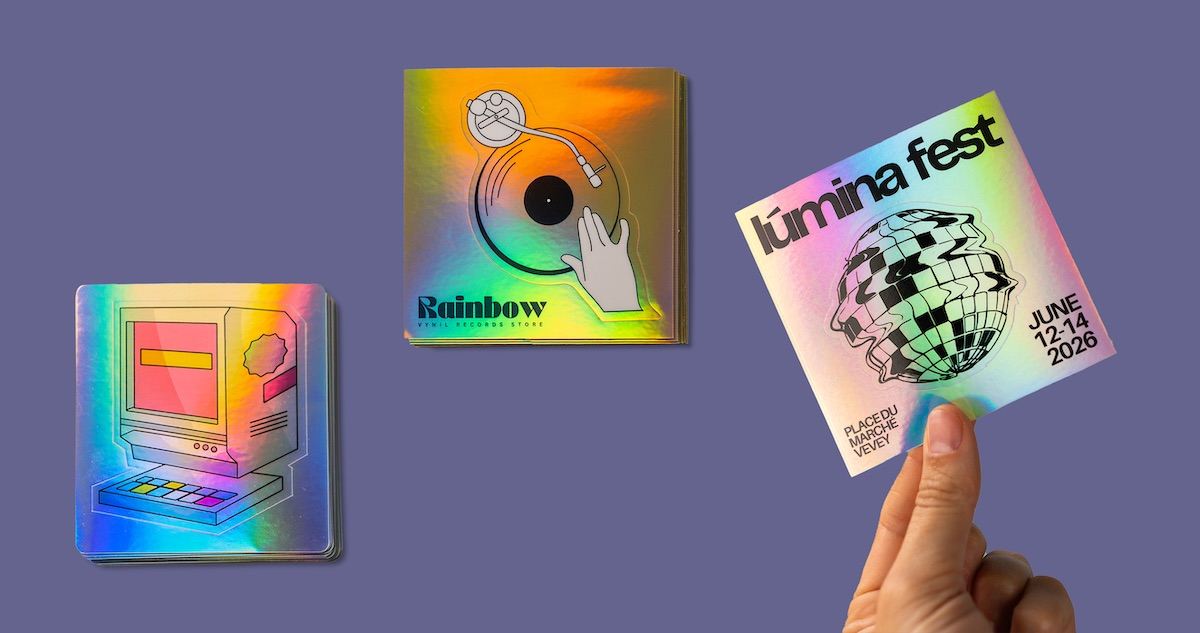
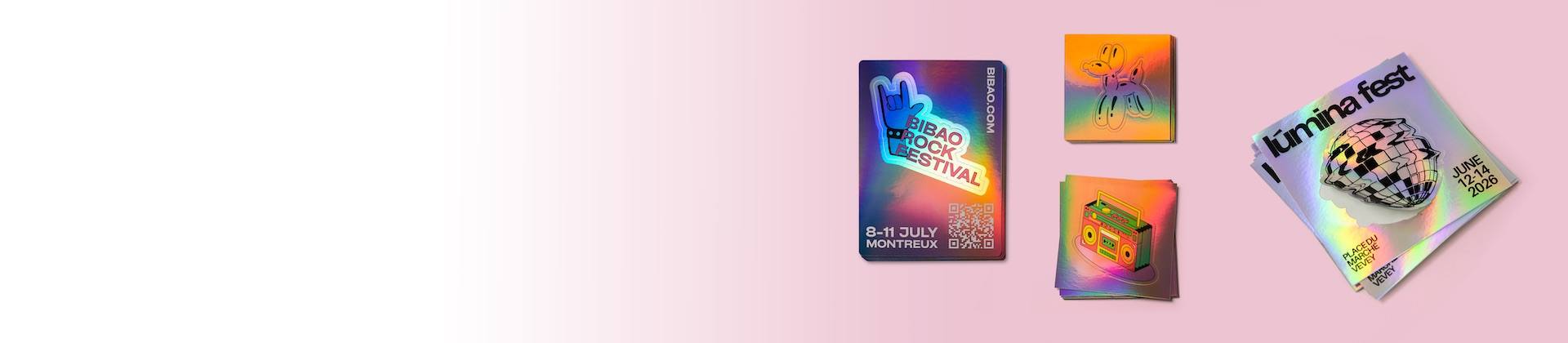
Pre-cut Holographic Kiss Cut stickers (or half-cut stickers) are an original and practical alternative! Made on our premium holographic vinyl, they adhere to all smooth surfaces and create a striking visual impact.

  • Super easy to peel
  • Complex shapes and internal cuts
  • Customizable area around the sticker (perfect for advertising)

  • Guaranteed 'Wowww' effect
  • Limited to one element per sticker. If you want multiple elements, choose our holographic sticker sheets!


  • Choose a size
  • Choose a quantity
  • Upload your design
  • Complete your order
  • Receive a print proof
For holographic stickers with white printing, only vectorized EPS and AI files are allowed.

Size

The size corresponds to the outer dimensions of the backing.

Allow at least 5 mm of space between the die-cut shape and the edge of the backing.

For example, with dimensions of 6 × 6 cm, the maximum size of the inner sticker will be 5 × 5 cm.

x

Quantity

corners

Custom Holographic Kiss Cut Stickers: the half-cut with a 'Wowww' effect!

Looking for a sticker that combines creativity, practicality, and uniqueness? Look no further: Holographic Kiss Cut stickers are here at Stickeryeti!
Made on our premium holographic vinyl, these stickers adhere to all smooth surfaces and open up new possibilities for your branding, packaging, or visual communication.

What is a Holographic Kiss Cut sticker?

The Kiss Cut, also called half-cut, involves cutting only the adhesive part of the sticker while keeping a border intact on the holographic vinyl backing.
In practice? Your sticker stays protected within its border, making it super easy to peel and allowing you to play with the space around the design.


This means:

  • Easy to use: no more ruined nails when peeling a sticker.
  • Highlight details: take advantage of the precise cut to create original and shimmering shapes.
  • Extra creative space: add useful information, a slogan, a QR code, or a secondary illustration around your sticker.
  • Enhanced impact: perfect to distribute and leave a lasting impression with its shiny holographic effect.

Why choose Holographic Kiss Cut for your creative projects?

  1. A smart branding tool

    Imagine a sticker with your logo in the center and around it a small message like “Scan me” with a QR code. The holographic background draws attention and becomes an advertising space at no extra cost. Your clients won’t just see a sticker, but a brilliant communication tool.

  2. Perfect for detailed and visible designs

    Have a logo with fine lines or a complex illustration? Where standard cutting reaches its limits, Kiss Cut excels, respecting every detail while delivering a unique, shiny, professional finish.

  3. Suitable for all uses

    Packaging & branding: include them as gifts in your packages to turn each shipment into a premium brand experience.

    Communication: distribute at events, trade shows, or street marketing campaigns to capture attention

    Creatives & artists: sell your illustrations as ready-to-stick stickers with a unique and original finish.

Tips for getting the most out of your Holographic Kiss Cut stickers

  1. Use the border: add a background color and short, impactful messages (social media, website, QR code, opening hours, or contact info).

  2. Highlight details: take advantage of the precise cut to create original and shimmering shapes.

  3. Be original!
    Printing on holographic stickers allows you to add a rainbow and metallic effect to your personalised stickers. WOW effect guaranteed for your brand!

  4. Place only one element per sticker: the Kiss Cut does not allow multiple stickers on the same sheet. If you need multiple designs, our holographic sticker sheets are more suitable.

FAQ – Everything you need to know about Holographic Kiss Cut stickers

What’s the difference between a Kiss Cut sticker and a standard sticker?

A standard sticker is cut directly to shape. Kiss Cut keeps a border around it, making peeling easier and adding a customizable space.

Can I put multiple designs on the same Kiss Cut sticker?

No. Kiss Cut is limited to one element per sticker. For multiple designs, choose our holographic sticker sheets.

How do I choose the size of my sticker?

When ordering, select the final sticker size, keeping at least 5 mm between your sticker (internal cut) and the full-cut (outer edge). Avoid very small sizes (<3 cm), as even if peeling is easier, the design loses impact. Larger formats are perfect for Kiss Cut. If unsure, test a real-size print at home!

Where are your stickers made?

All our stickers, including Kiss Cut, are made in Switzerland, at our production workshop in Sion (Valais).

The Yeti’s user guide

The Yeti guides you through the essential steps to send us a print-ready file and ensure a flawless result.

Whether you’re an Illustrator pro, a Canva enthusiast, or working with a graphic designer, you can use the tool that suits you best to create your design.

  1. Choose the right size

    The size selected when ordering your Kiss Cut corresponds to the outer dimensions of the sticker in cm = width × height.

    Make sure to leave at least 5 mm of space between the inner cut shape and the edge of the liner.

    Example: For a 6 × 6 cm Kiss Cut, the maximum size of the inner cut shape is 5 × 5 cm.

    We recommend avoiding very small sizes (below 3 cm), as tiny designs tend to lose impact. Larger formats, on the other hand, are perfectly suited for Kiss Cuts.

    If in doubt, do a full-scale test print on paper at home or at the office.
  2. Place your content

    If your Kiss Cut sticker includes graphic elements around the inner cut shape, you must provide the complete file with all elements already positioned.

    We do not make any graphic changes to the files received. Our graphic designer only creates the cut line.

    Add bleed if you want a sticker with a colored or patterned background without a visible white border.

    Each Kiss Cut sticker is limited to one internal cut shape.
    If you need multiple pre-cut elements, please choose our sticker sheets .

  3. Save in the right format

    Accepted file formats:

    • Vector formats*: AI, EPS, PDF or SVG – the best option! (mandatory for white ink on holographic material)
    • Image formats: TIFF, EPS, PSD or JPG (PNG and BMP are also accepted)
    * All graphic elements and text must be outlined / vectorised.
  4. Check the quality

    For a sharp, professional print, please use a file:

    • with a 300 dpi resolution – minimum 200 dpi
    • in CMYK colors (preferred) or RGB (we’ll convert if needed)

    All files must be supplied at scale 1:1, meaning at the final desired sticker size. Enlarging an image afterwards may cause pixelation and affect print quality.

    Example: For a 5 × 5 cm sticker, the file should be at least 591 × 591 pixels. No need to be an expert: if your file looks sharp on screen, it will usually print well too.

The Yeti’s little extras

  • Once your file is uploaded, you can leave instructions in the dedicated comment field.
  • If there’s any doubt after receiving your file, the Yeti will contact you personally.
  • If your file doesn’t include a cut line, the Yeti will add it for you – just make sure to specify which shape should be cut.
  • No worries in any case! You’ll always receive a digital proof for approval before printing :)

Tip

Do you have very specific requirements and need help creating a truly unique sticker? The best solution is to work with a professional graphic designer, who will take care of quality, format, cut line… and style!

More technical details can be found here.

For any other questions, feel free to check out our FAQ.